How to use Live Mode and setlists
Live Mode turns the player into a performance view built for the stage: a clean mixer, big transport controls, and setlists you can run in order.
Switch between Studio and Live Mode
- In the player, open Live Mode.
- To go back, click Exit to return to Studio Mode.
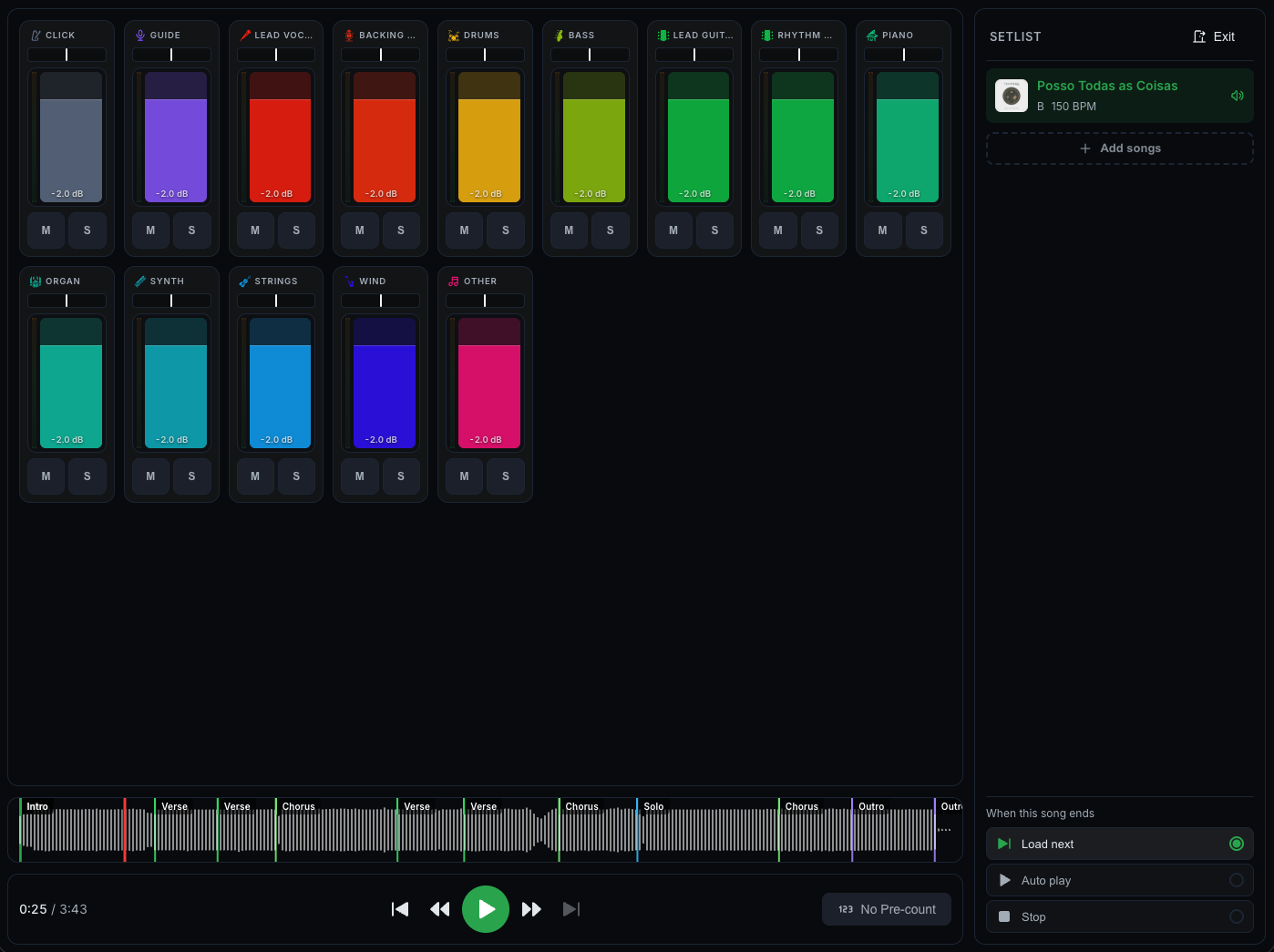
Build a setlist
- In Live Mode, open the Setlist tab.
- Click Add songs and pick the songs you want.
- Drag songs to reorder them.
- Click Save new setlist to keep it.
If you leave Live Mode before saving, CueWee asks whether to discard the unsaved setlist.
The mixer
The Mixer tab shows each instrument with a level meter and a pan control, plus the mix waveform and the playback controls. Adjust the mix for the room without touching your studio settings.
When a song ends
Choose what happens at the end of each song:
- Auto play: keep playing.
- Load next: load the next song in the setlist.
- Stop: stop at the end.
Separate mix
Turn on Separate mix to keep a different mix and pre-count for a song in Live Mode, without changing your normal settings.